
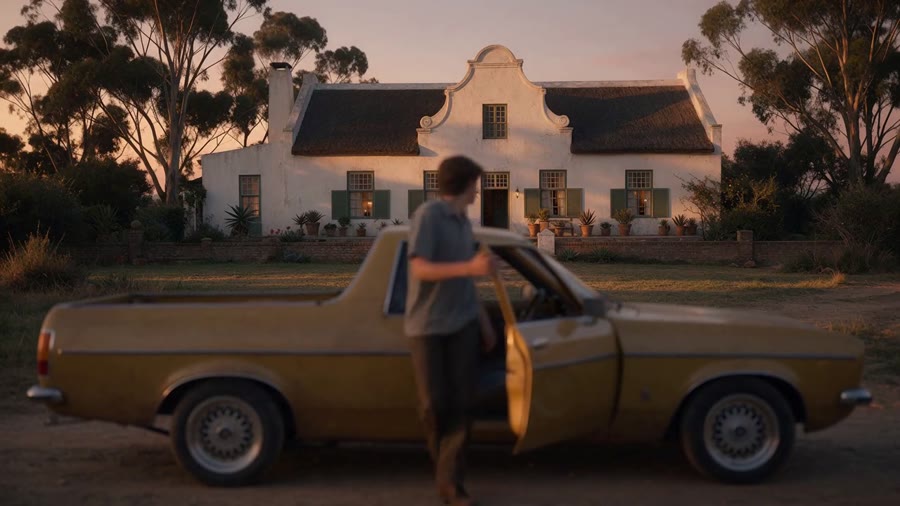
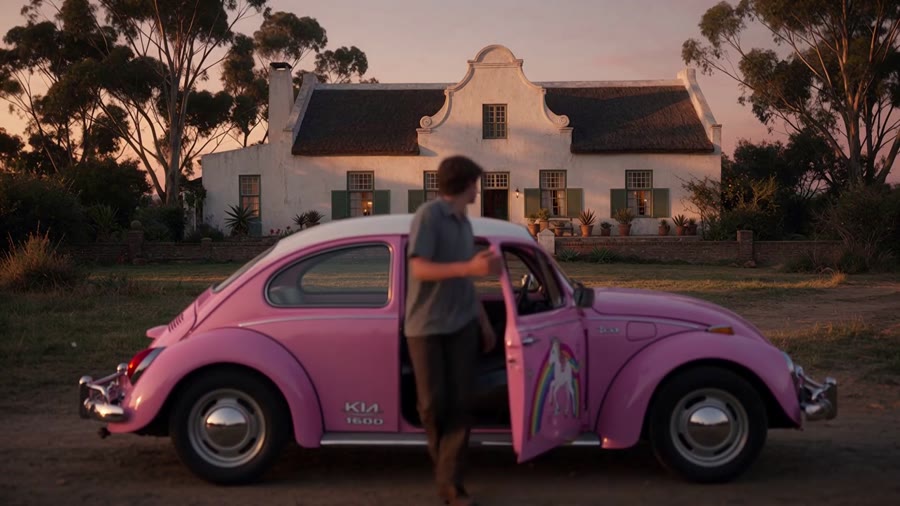
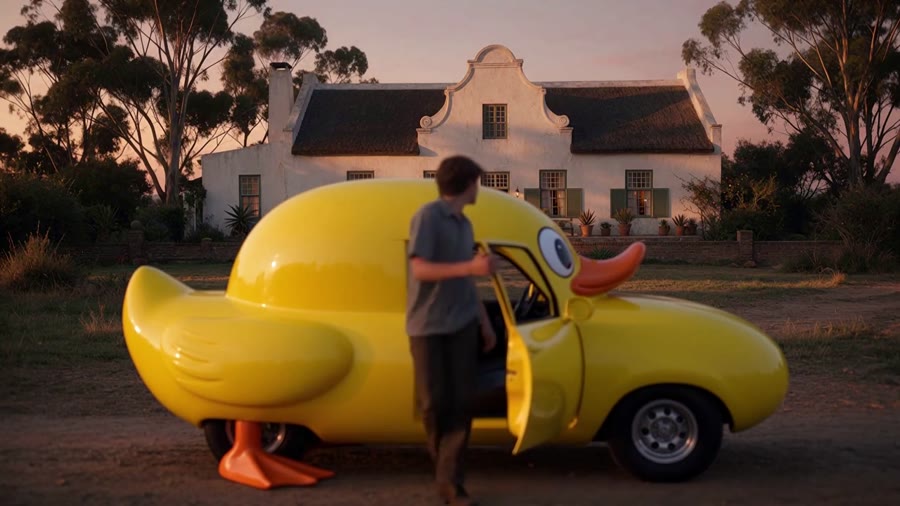
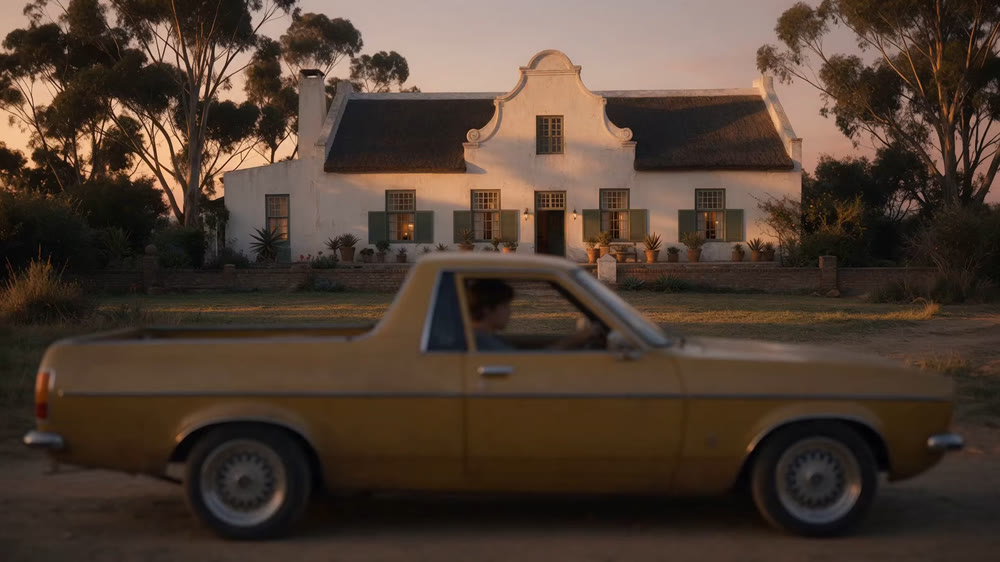
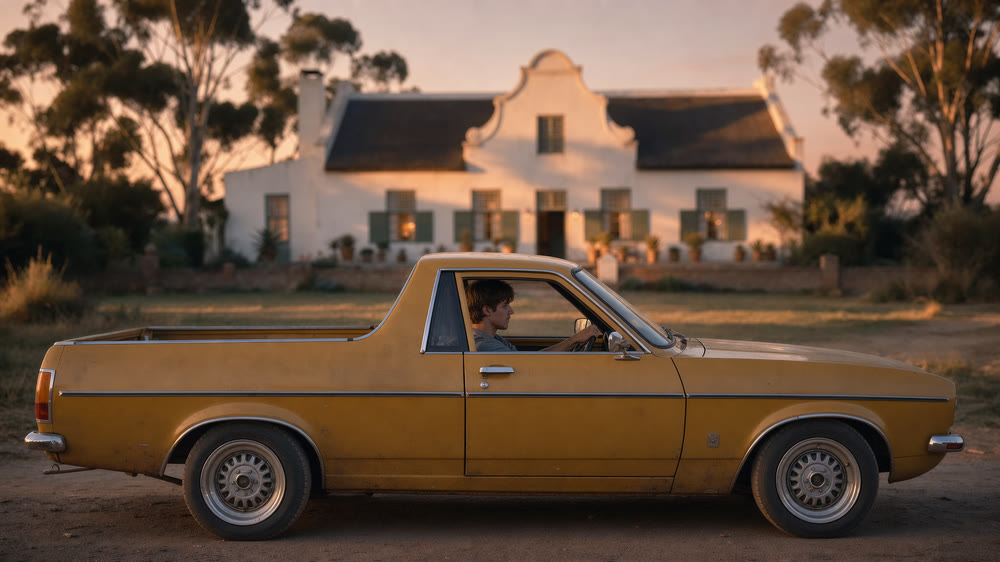
We were asked to refocus a shot. In the original, the house in the background is sharp, while the car and the man in the foreground are soft. We wanted the opposite, with the action and the framing unchanged: the car and the man sharp, the house and the trees softly out of focus. Today’s video models can change what is in a shot very easily (a car can become a pink unicorn car or a duck car), but refocusing is not an edit they offer. We understand a model for it is being trained, but it is not available in a simple form yet. Our method is to refocus the first and the last frame with an image model, then have a video model recreate the shot between them. The result is close to the original action, but it is a re-creation, not an edit, and it is not identical.
Key points
- Refocusing a video is not a supported edit. The shot has to be recreated between two refocused images.
- Flux 3 refocuses a still while keeping the composition, the light and the textures. We use it on the first and the last frame only.
- Adding intermediate keyframes made things worse: the more keyframes that look alike, the more the video model morphs between them.
- With the face out of focus there is no clean reference for the actor. A full-body image, a character sheet and a 360° turnaround video fix this.
- Each Flux generation is unique. It does not show at the start and the end of one shot, but it would show if refocused shots were cut next to each other.
1The brief, and why it is not a standard edit
Video models that accept an input video (edit modes) understand instructions about content: replace an object, change a colour, change the weather. They do not understand an instruction about the lens. A refocus changes which parts of the frame are sharp, which is closer to a depth-dependent blur that must follow the moving subjects.
| Type of change | Status today | Comment |
|---|---|---|
| Replace an object (car to unicorn car or duck car) | Easy | Supported by edit modes, works on the first try. |
| Refocus, keep everything else | No direct tool | A dedicated model is reportedly being trained, not available in a simple form. |
| Recreate the shot from refocused first and last frames | Works, approximate | The method of this note. The action stays close to the original but is not identical. |
Two examples on the same shot, each against the original. Move over the picture to compare.
2Method
One video model per version
2.1 Material
| Item | Format | Use |
|---|---|---|
| Original shot | 1920 × 1080, 10.1 s, with sound | Reference for the action and the framing |
| First and last frame | PNG, 1920 × 1080 | Input of the image edit |
| Refocused first and last frame | PNG, 2048 × 1152 | Start and end images of the video model |
| Character sheet and 360° turnaround | H.264, 1920 × 1080, 10 s | Identity reference for the video model |
| Generated versions (two engines) | 1920 × 1080, 10 s, with sound | Results to compare with the original |
2.2 Refocusing the frames with Flux 3
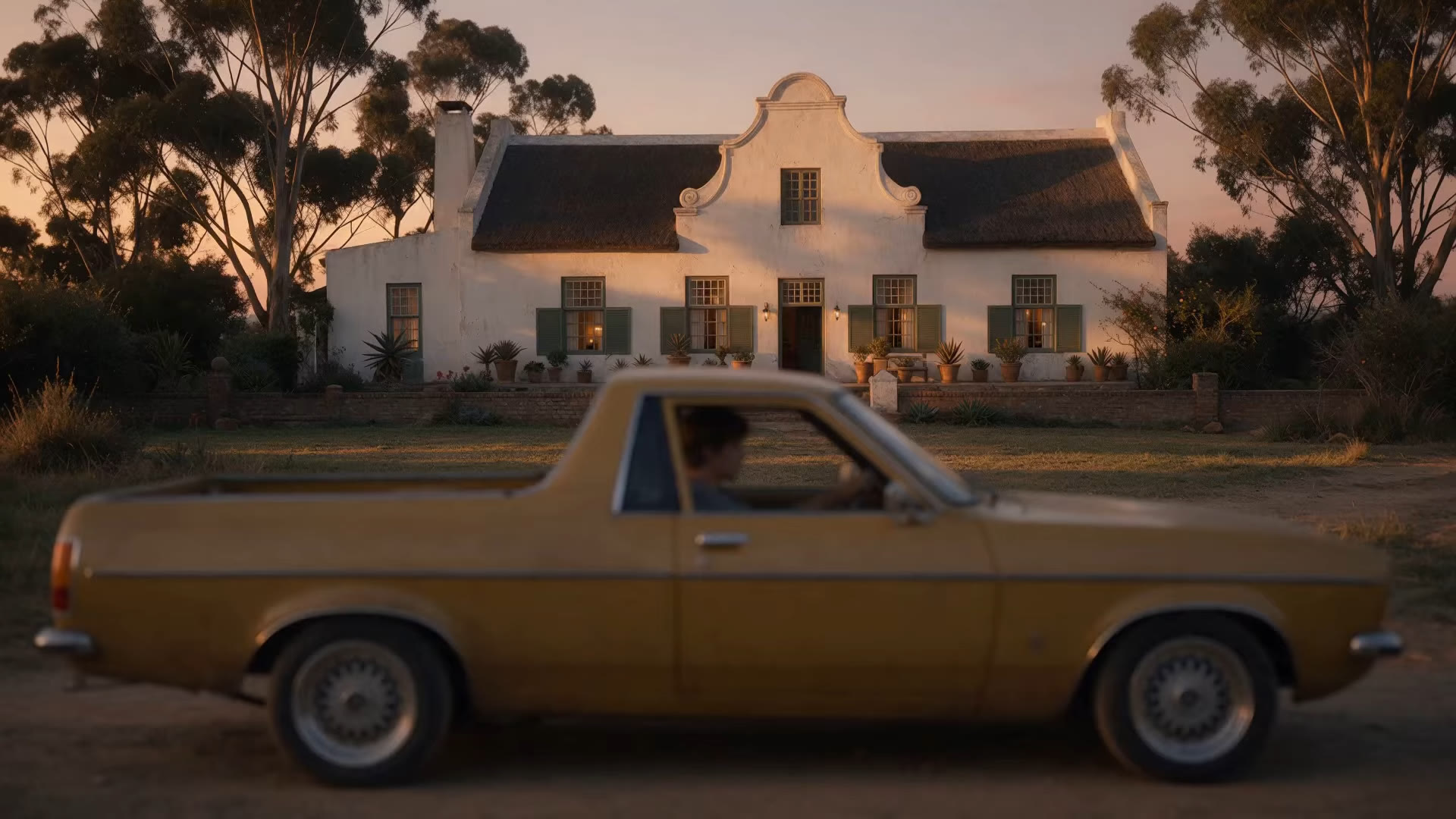
The first and the last frame of the shot are taken from the original and passed to Flux 3 as an edit. The instruction names what stays sharp (the car, the man) and what falls out of focus (the house and the trees), and says that composition, light and colour do not change. Flux 3 follows the frame closely and gives clean textures. The faces are the weak point: they stay close to the source but are not the same.
3Keeping the actor
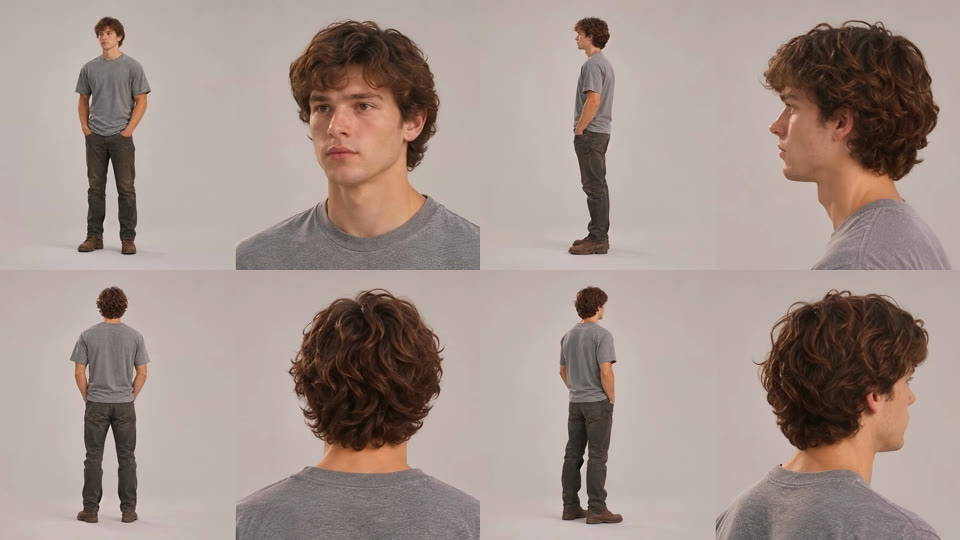
The man is small in the frame and out of focus in the original, so the frames give no clean reference for his face. The video model then invents a face, and it changes during the shot. We built a reference outside the shot:
- Take a full-body image of the character from another shot of the same film.
- In Flora, generate a character sheet from it, then a 360° turnaround video, with the Character 360 kit technique.
- Use only the turnaround video as a reference in the video prompt, next to the start and the end image.
4Prompting
The prompt states what each reference is, fixes the camera and the vehicle, and describes the action second by second. The action must be described precisely, because the model recreates it rather than copying it. The structure we use (abridged):
@Image1 is the first frame (0s) and @Image2 the last frame (10s) of one
continuous shot: two moments of the same take, never blend them.
@Video1 is a split-frame turntable character sheet: use it only to keep
face, hair and clothes identical from every angle, including from behind.

Locked-off eye-level side camera, 10 seconds, no cuts. Shallow depth of
field: car and man sharp, house and trees in soft creamy bokeh.
The car is parked and completely stationary from first frame to last.

0-2s   he sits at the wheel, hand on the wheel, gazing ahead
2-3s   he leans toward the door, which starts to open
3-5s   door fully open, he steps out onto the dirt
5-6s   he stands beside the open door, back to camera
6-7s   he shuts the door
7-10s  he steps forward and leans on the car, as in @Image2, and holds

Face and hair identical to @Video1. No glasses, no extra people.
The time-coded beats were read off the original shot, not guessed. The prompt must keep the vehicle still explicitly, and it stays under the length limit of the tool (2,500 characters).
5Results
The original on the left of the line, a refocused version on the right. Move over the picture to compare, and switch between the two video models: Seedance 2.5 and Kling 4.
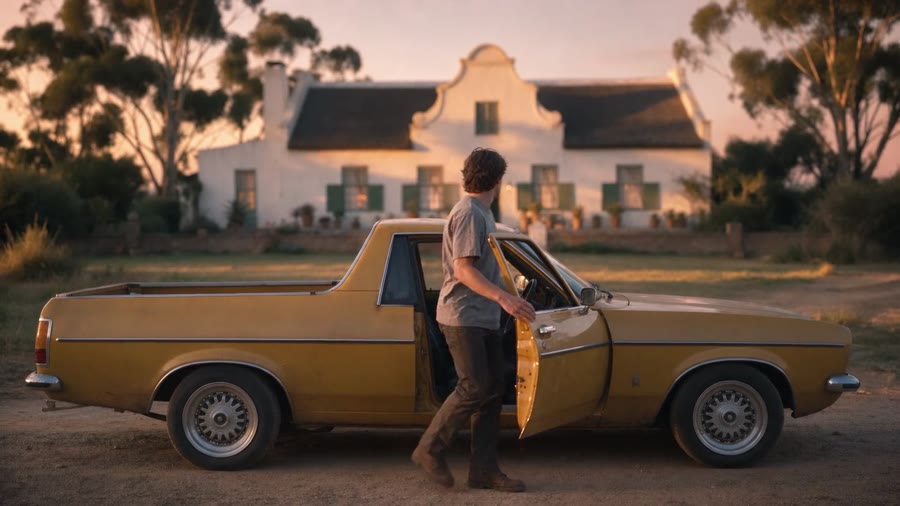
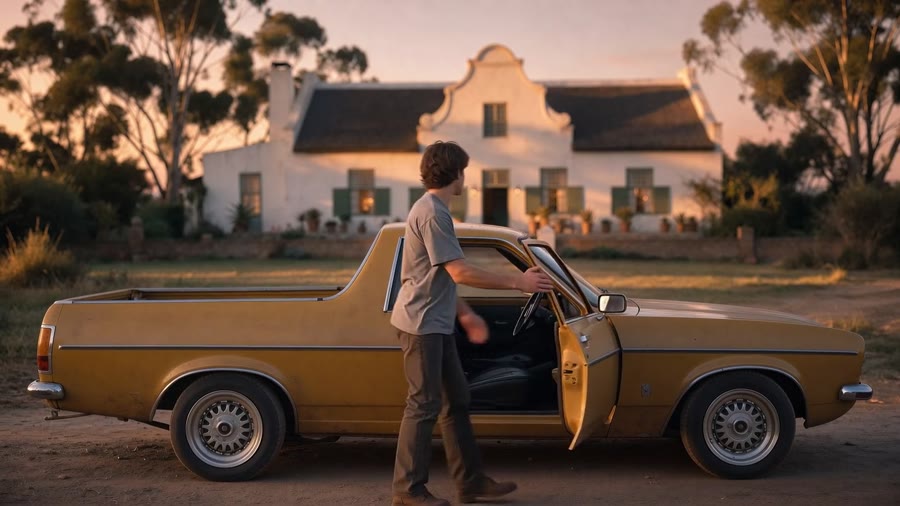
The same shot at 5 s: original, Seedance 2.5 and Kling 4. The video comparison is in the web version of this note.
| Version | Length | Observation |
|---|---|---|
| Original | 10.1 s | Focus on the house, the car and the man soft. Action: seated, door opens, steps out, stands, shuts the door, leans on the car. |
| Seedance 2.5 | 10.0 s | Same sequence and same final pose, with the refocus applied from start to end. Details of the movement differ. |
| Kling 4 | 10.0 s | Same sequence and same final pose. The door and the body movement differ from the original at the same moments. |
Both versions are very close to the original action, but not identical to it. We compared them by eye on the video; we have not measured the timing difference.
6What did not work
| Symptom | Cause | Response |
|---|---|---|
| Intermediate keyframes made the video worse | The more keyframes that look alike, the more the model morphs between them | Keep only the first and the last frame |
| Refocused frames are not identical to each other | Each Flux generation is unique | Not an issue inside one shot. Unsolved between neighbouring shots |
| Face changes during the shot | The face is out of focus in the frames, no clean reference | Full-body image, character sheet, 360° turnaround video in the prompt |
| Action not exactly the original | The shot is recreated, not edited | Time-coded prompt read from the original. Close, not identical |
7Limits and what we would change
- This is a re-creation. For a shot where the action must match to the frame, the method is not enough.
- Consistency between neighbouring refocused shots is open. Cutting several recreated shots together would show the differences between generations.
- A dedicated refocus model, if it becomes available, would replace most of this method.
- Work in progress: tests continue on faces and on the closeness of the action.
References
- Black Forest Labs, FLUX. Image model used to refocus the first and the last frame.
- Flora, Character 360 kit. Technique used to make the character sheet and the 360° turnaround video.
- Flora. The canvas where the references were built.
- ByteDance Seed, Seedance 2.0. Video model, first and last image with a reference video.
- Kling AI, Kling 4. Video model, first and last image with reference images.
Credits
Written by Arno Faure, Director of Creative Technology and Innovation.